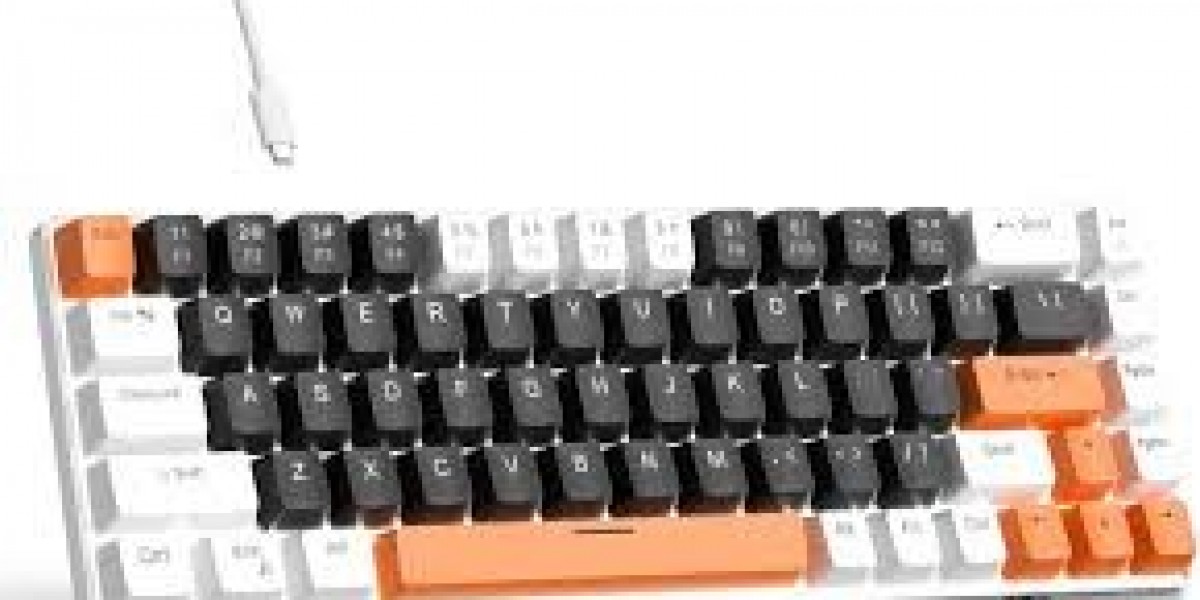

In the world of computer peripherals, few devices have seen a comeback quite like the mechanical keyboard.
Once considered old-fashioned, mechanical keyboards have become the preferred choice for gamers, programmers, writers, and professionals who value precision, durability, and a satisfying typing experience.
Unlike traditional membrane keyboards, mechanical keyboards use individual mechanical switches under each key — delivering tactile feedback, faster response times, and a distinctive click that many users love.
What Is a Mechanical Keyboard?
A mechanical keyboard is a type of keyboard that uses physical mechanical switches beneath each key to register a press.
Each switch consists of:
A stem (the moving part of the key)
A spring (which provides resistance and bounce)
Metal contacts (that complete the circuit when pressed)
This design gives mechanical keyboards a more responsive, durable, and customizable feel compared to traditional rubber dome or membrane keyboards.
How a Mechanical Keyboard Works
When you press a key on a mechanical keyboard:
The keycap pushes down the stem.
The spring beneath compresses, providing tactile feedback.
The metal contacts meet, completing the circuit and sending a signal to your computer.
When released, the spring pushes the key back up to its original position.
Because each key has its own switch, keystrokes are more accurate, and multiple keys can be pressed simultaneously without “ghosting.”
Types of Mechanical Switches
The “feel” of a mechanical keyboard depends on the type of switch it uses. The most common categories are:
1. Linear Switches
Smooth keystroke with no tactile bump or click.
Ideal for gaming, where rapid key presses matter.
Example: Cherry MX Red, Kailh Red, Gateron Yellow.
2. Tactile Switches
Provide a noticeable bump when the key actuates.
Preferred by typists for feedback without the loud click.
Example: Cherry MX Brown, Romer-G, Zealios V2.
3. Clicky Switches
Offer both a tactile bump and an audible click.
Loved by writers and enthusiasts for the classic typing sound.
Example: Cherry MX Blue, Kailh Box White, Razer Green.
Advantages of Mechanical Keyboards
✅ Durability: Switches can last 50–100 million keystrokes — far longer than membrane keyboards.
✅ Typing Accuracy: Distinct tactile feedback reduces typing errors.
✅ Customization: Users can swap switches, keycaps, and even backlighting.
✅ N-Key Rollover: Registers multiple simultaneous key presses, crucial for gaming.
✅ Comfort: The spring mechanism reduces strain during long typing sessions.
✅ Aesthetics: Available in various designs, colors, and RGB lighting options.
Disadvantages of Mechanical Keyboards
⚙️ Higher Cost: Quality switches and materials make them more expensive.
? Noise: Clicky switches can be loud — not ideal for shared spaces.
? Heavier Build: Generally larger and heavier than membrane models.
? Maintenance: Require regular cleaning due to exposed key switches.
Mechanical vs. Membrane Keyboards
| Feature | Mechanical Keyboard | Membrane Keyboard |
|---|---|---|
| Switch Type | Individual mechanical switches | Rubber dome membrane |
| Typing Feel | Tactile and responsive | Soft and quiet |
| Durability | 50M+ keystrokes per key | 5–10M keystrokes |
| Customization | High (keycaps, switches, RGB) | Limited |
| Cost | Higher | More affordable |
| Noise Level | Moderate to loud | Quiet |
Popular Mechanical Keyboard Brands
Corsair – Known for high-end gaming keyboards with RGB lighting.
Razer – Offers proprietary switches optimized for gaming.
Logitech – Romer-G and GX switches focus on low latency and comfort.
SteelSeries – Known for hybrid and customizable mechanical designs.
Keychron – Popular for wireless, minimalist keyboards for professionals.
Ducky & Leopold – Favored by enthusiasts for build quality and key feel.
The Rise of Custom Mechanical Keyboards
In recent years, custom mechanical keyboards have become a global trend among enthusiasts. Users build their own boards, choosing:
Switch type (feel and sound preference)
Keycap materials (ABS, PBT, or artisan designs)
Layout (60%, TKL, or full-size)
Case materials (plastic, aluminum, acrylic)
RGB lighting and sound dampening mods
This level of customization allows users to create a typing experience tailored to their style — both functionally and aesthetically.
Caring for Your Mechanical Keyboard
To keep your keyboard in top shape:
? Clean regularly: Use compressed air or a keycap puller for deep cleaning.
⚙️ Lubricate switches (optional): Reduces noise and improves smoothness.
? Avoid spills: Liquids can damage switches and PCB.
? Use a dust cover: Protects against debris when not in use.
The Future of Mechanical Keyboards
Mechanical keyboards continue to evolve with innovations such as:
Hot-swappable switches – Easily replace switches without soldering.
Wireless mechanical boards – Offering Bluetooth and 2.4GHz low-latency connections.
Optical and Hall-effect switches – Use light or magnetic sensors for faster response and durability.
Ergonomic layouts – Designed for comfort and wrist support during extended use.
As technology advances, mechanical keyboards are blending classic feel with modern innovation.
Conclusion
The mechanical keyboard isn’t just a tool — it’s an experience. Whether you’re coding, gaming, or writing, its precision, responsiveness, and customization options make it a favorite among computer enthusiasts.